Development/Flutter · 2025. 4. 2. 13:43
[Flutter] 카카오 로그인 구현
1. 패키지 추가
// pubspec.yaml
dependencies:
  kakao_flutter_sdk: ^1.9.7+3
카카오 최신 버전은 아래 사이트에서 확인
https://pub.dev/packages/kakao_flutter_sdk_user
kakao_flutter_sdk_user | Flutter package
A flutter plugin for Kakao API, which supports Kakao login, KakaoTalk Share, User API, KakaoTalk API and Navi API.
pub.dev
// terminal
flutter pub add kakao_flutter_sdk_user
2. 네이티브 앱 키 획득
카카오 로그인을 이용하려면 네이티브 앱 키를 획득해야 함
2-1. kakao Developers 사이트 이동
Kakao Developers
카카오 API를 활용하여 다양한 어플리케이션을 개발해보세요. 카카오 로그인, 메시지 보내기, 친구 API, 인공지능 API 등을 제공합니다.
developers.kakao.com
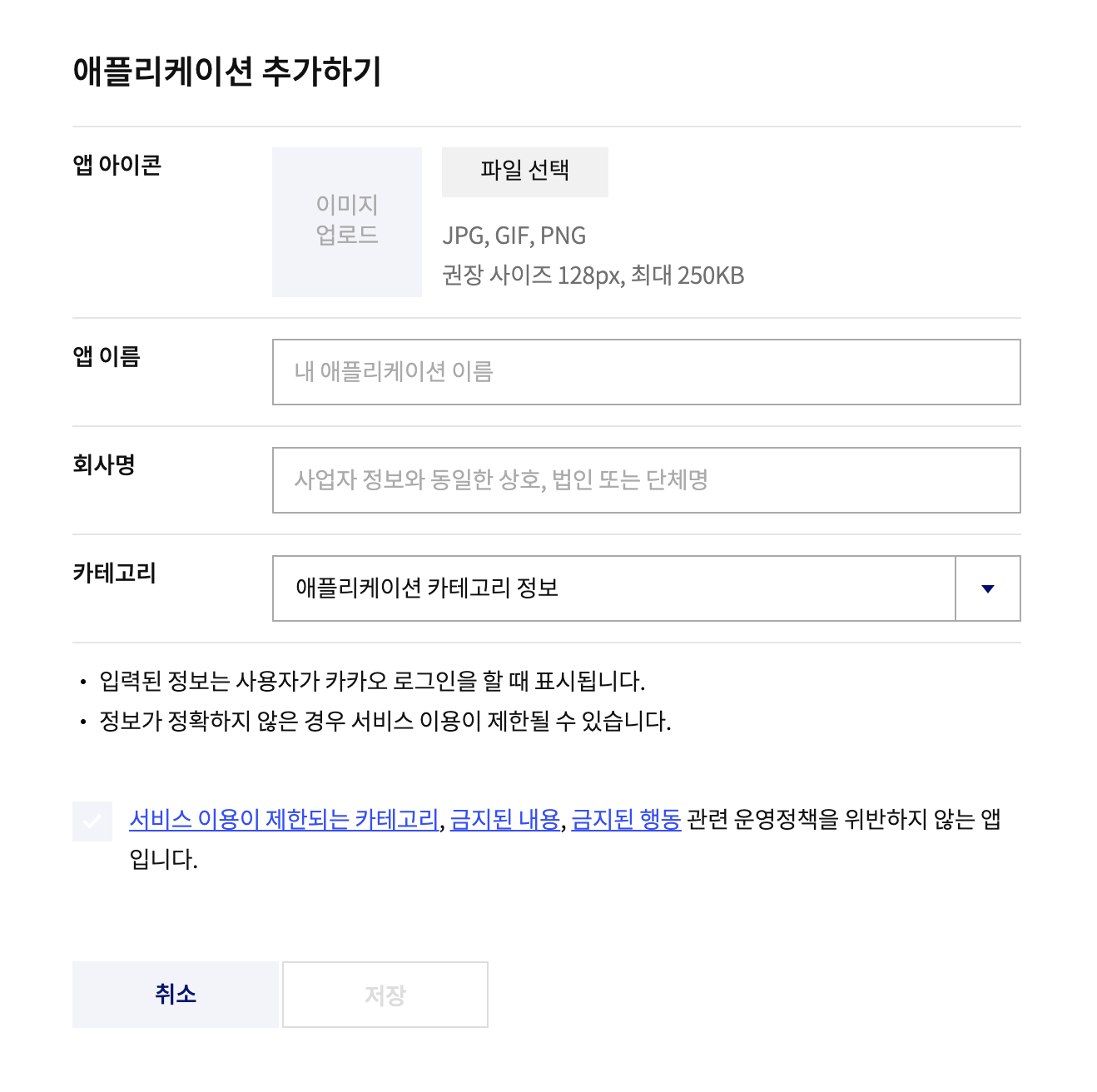
2-2. 내 애플리케이션 - 애플리케이션 추가하기
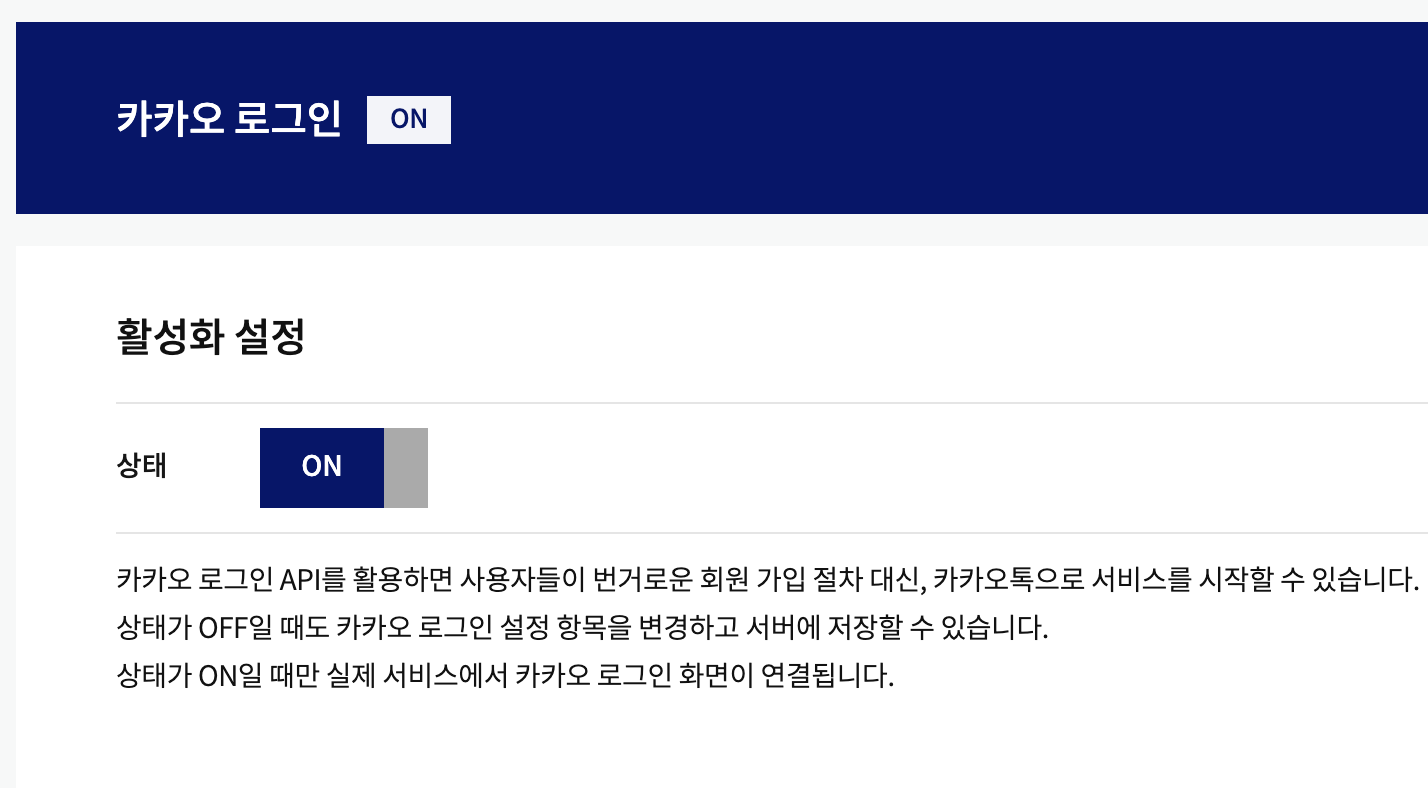
2-3. 카카오 로그인 활성화
내 애플리케이션 - 앱 설정 - 대시보드 - 제품 설정 - 카카오 로그인 - 활성화 ON
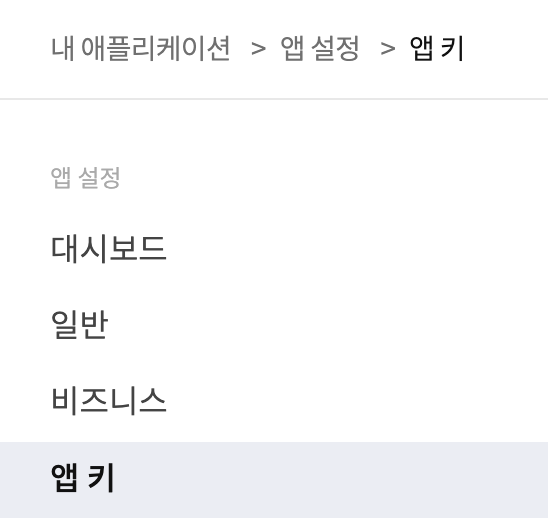
2-4. 앱 키 복사
내 애플리케이션 - 앱 설정 - 앱 키 - 네이티브 앱 키 복사
3. 앱 초기화
//main.dart
import 'package:kakao_flutter_sdk_user/kakao_flutter_sdk_user.dart';

void main() {
  KakaoSdk.init(nativeAppKey: '네이티브 앱 키');
  runApp(const MyApp());
}
4. 카카오 로그인 함수 구현
// welcome_screen.dart

  Future<void> handleKakaoLogin(BuildContext context) async {
  try {
    // 1. 카카오톡 설치 여부에 따라 로그인 방식 분기
    OAuthToken token;
    if (await isKakaoTalkInstalled()) {
      token = await UserApi.instance.loginWithKakaoTalk();
    } else {
      token = await UserApi.instance.loginWithKakaoAccount();
    }

    // 2. idToken이 필요할 경우 추가로 가져올 수 있음
    final user = await UserApi.instance.me();

    // 3. 토큰 서버로 전달
    final response = await http.post(
      Uri.parse('$baseUrl/api/auth/kakao'),
      headers: {'Content-Type': 'application/json'},
      body: jsonEncode({'accessToken': token.accessToken}),
    );

    if (response.statusCode == 200) {
      Navigator.pushReplacement(
        context,
        MaterialPageRoute(builder: (_) => const MainScreen()),
      );
    } else {
      print('백엔드 로그인 실패: ${response.body}');
    }
  } catch (e) {
    print('카카오 로그인 실패: $e');
  }
}
5. 카카오 로그인 아이콘 다운로드
디자인 가이드
https://developers.kakao.com/docs/latest/ko/kakaologin/design-guide
Kakao Developers
카카오 API를 활용하여 다양한 어플리케이션을 개발해보세요. 카카오 로그인, 메시지 보내기, 친구 API, 인공지능 API 등을 제공합니다.
developers.kakao.com
리소스 다운로드
https://developers.kakao.com/tool/resource/login
Kakao Developers
카카오 API를 활용하여 다양한 어플리케이션을 개발해보세요. 카카오 로그인, 메시지 보내기, 친구 API, 인공지능 API 등을 제공합니다.
developers.kakao.com
6. 버튼 생성 후 연결
// welcome_screen.dart

                customSocialButton(
                  assetPath: 'assets/kakao_logo.png',
                  text: 'Kakao로 계속하기',
                  backgroundColor: const Color(0xFFFEE500),
                  textColor: Colors.black,
                  onPressed: () => handleKakaoLogin(context) ,
                ),
커스텀 소셜 버튼은 아래와 같음
  Widget customSocialButton({
    required String assetPath,
    required String text,
    required Color backgroundColor,
    required Color textColor,
    required VoidCallback onPressed,
  }) {
    return ElevatedButton(
      onPressed: onPressed,
      style: ElevatedButton.styleFrom(
        backgroundColor: backgroundColor,
        foregroundColor: textColor,
        minimumSize: const Size.fromHeight(48),
        shape: RoundedRectangleBorder(borderRadius: BorderRadius.circular(8)),
        elevation: 0,
      ),
      child: Row(
        mainAxisAlignment: MainAxisAlignment.start,
        children: [
          Image.asset(assetPath, height: 24),
          const SizedBox(width: 16),
          Expanded(
            child: Text(
              text,
              textAlign: TextAlign.center,
              style: TextStyle(fontSize: 16, color: textColor),
            ),
          ),
          const SizedBox(width: 40),
        ],
      ),
    );
  }
}

'Development > Flutter' 카테고리의 다른 글
| [프로젝트] Scholar AI : 맞춤형 장학금 (1) | 2026.01.18 |
|---|---|
| [Flutter] #5 폰트 적용 (0) | 2025.04.02 |
| [Flutter] Firebase 없이 구글 로그인 구현 (0) | 2025.04.02 |
| [Flutter] Firebase 구글 로그인 구현 (0) | 2025.03.26 |
| [Flutter] Firebase CLI 설치 & 프로젝트 연동 (0) | 2025.03.26 |